
The main role of team management is to create roles, assign usage permissions to roles, invite users, and then assign roles to users, granting them the corresponding permissions of the roles. Now, I will explain it in detail
1. Member management and review
(1) Role management (assigning different permissions to different roles)
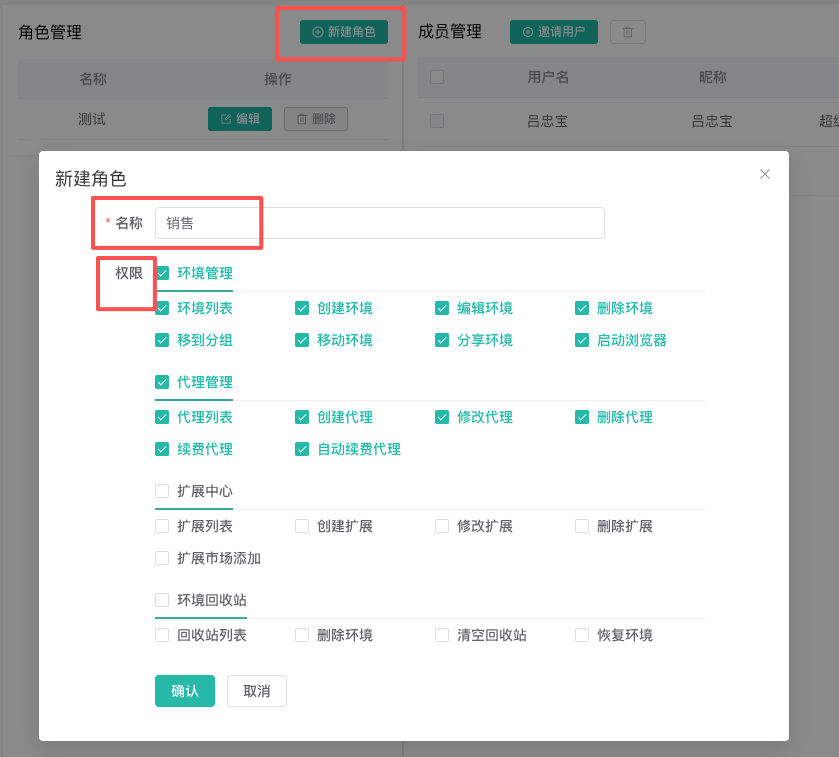
Create a role, such as a sales role, and assign permissions for environment management and agent management to the salesperson
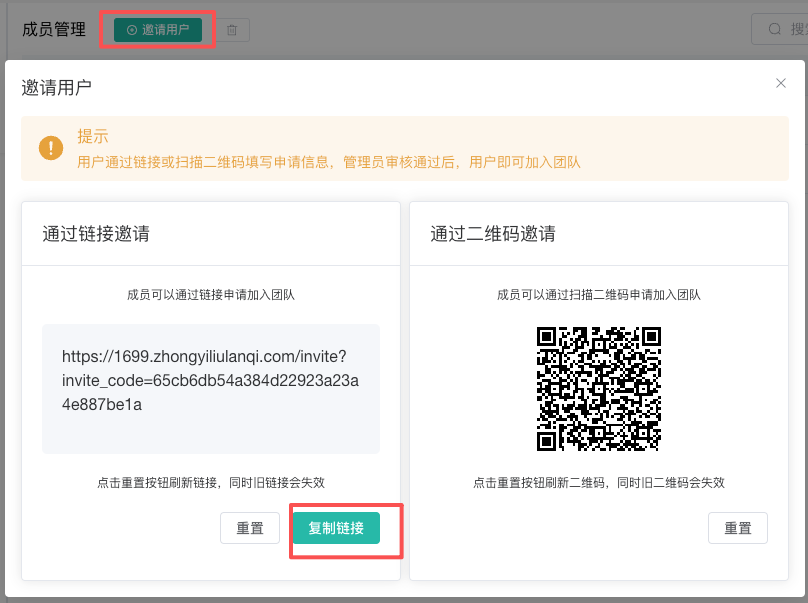
(2) After creating the role, we click "Invite User" in the member management module, copy the link or send the QR code to the member we want to invite, and let him register
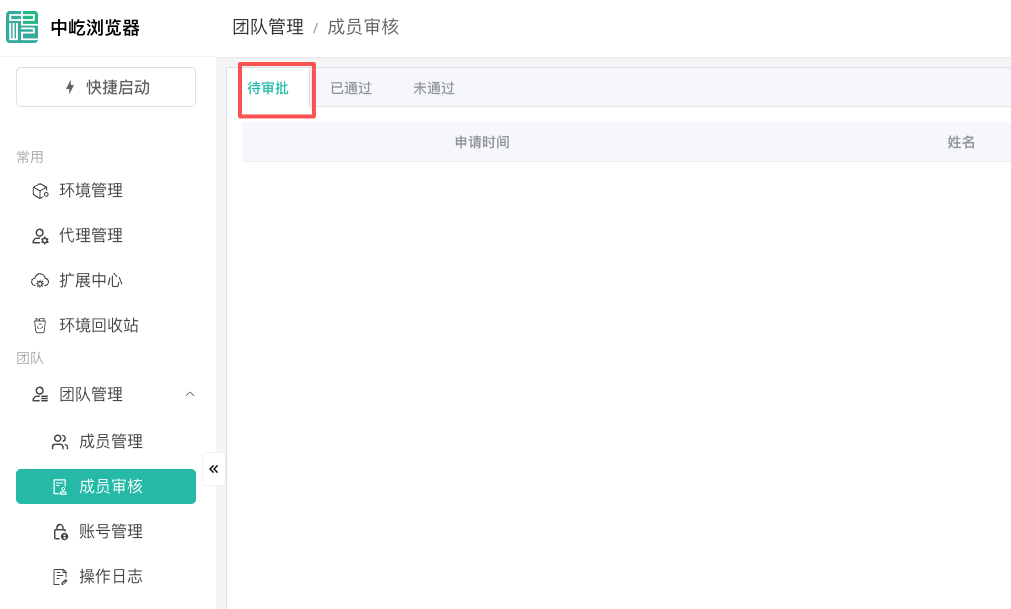
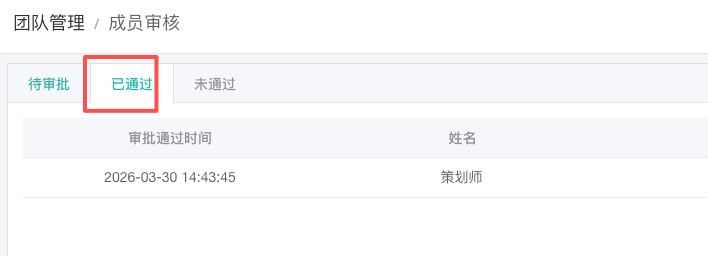
(3) After the invited users have registered, we select the "Member Review" option on the left side, and view and review them in the "Pending Review" section. Once approved, we can view them in the "Approved" section.
(4) After the review is approved, we can click on "Member Management" on the left side, and look at the "Member Management" module on the right. The members we reviewed will be listed in the member management list. Then we can click on "Edit" to assign corresponding rights and interests to the members.
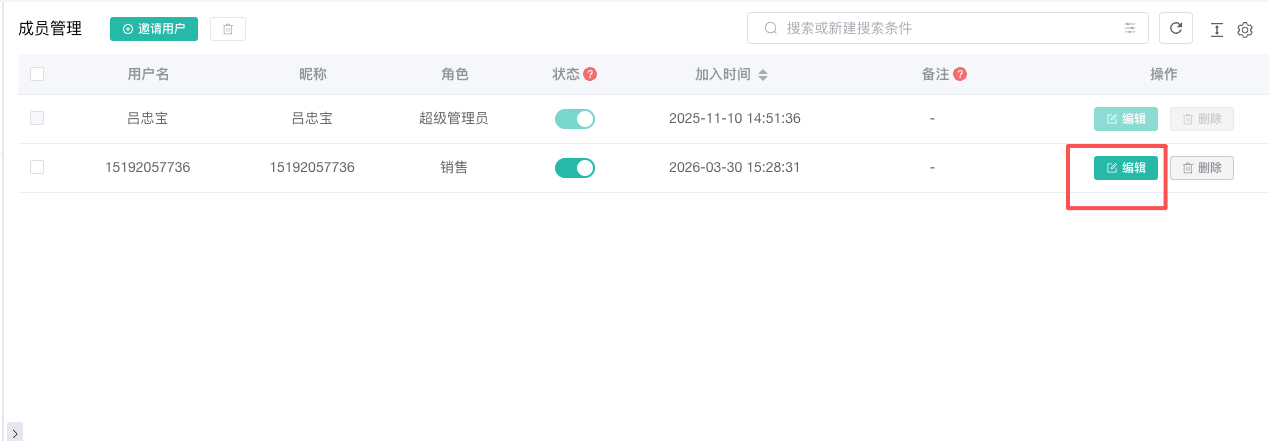
(5) Edit user settings
Role setting: We can click the dropdown to select the role we previously set, or click "New Role" to set up a new one
Authorization group management: The grouping here refers to environmental grouping (group management), If we want this user to see all groups, we select all groups; if we only want him to see specific groups, we click on partial groups.
Proxy authorization methods: No proxy authorization (i.e., no proxy IP assigned to the user, allowing the user to purchase an IP in their own account); All proxies (i.e., proxy IPs are shared); Partial proxy (i.e., a specified proxy IP is assigned to the user)
Note: We can write a note, or leave it blank
After setting everything above, let's click "OK".
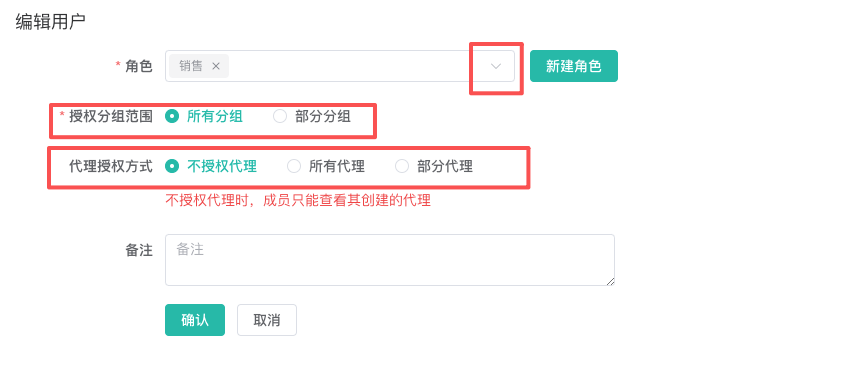
2. Account management is a separate module. Its main function is to set up the platform information that the environment needs to access in advance. Then, when creating an environment, you can simply bind it directly
Add account information:
(1) Platform: It refers to the platform link we want to open. For example, if I want to open the login page of Siyetian, the link I set is https://www.siyetian.com/login.html
(2) Name: Feel free to give it a name. For example, I've given it the name "Four-leaf Sky"
(3) Account and password: They are the account and password we use to log in
(4) Remarks: We make remarks according to our own needs
(5) 2FA secret key: If we have it, we can set it up; if not, we can ignore it.
After setting up, we just need to click "Save".
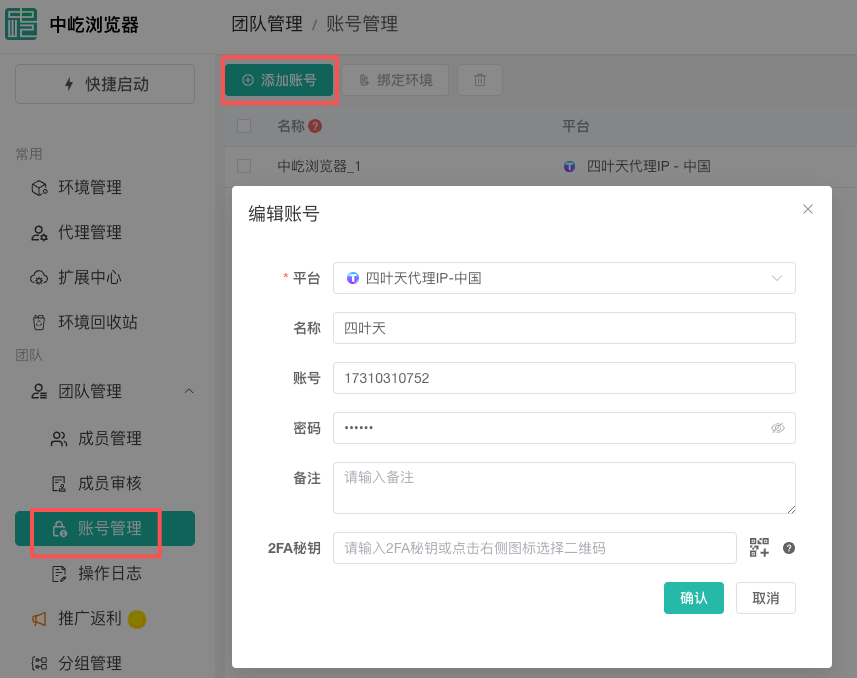
3. Operation logs refer to records of our operations
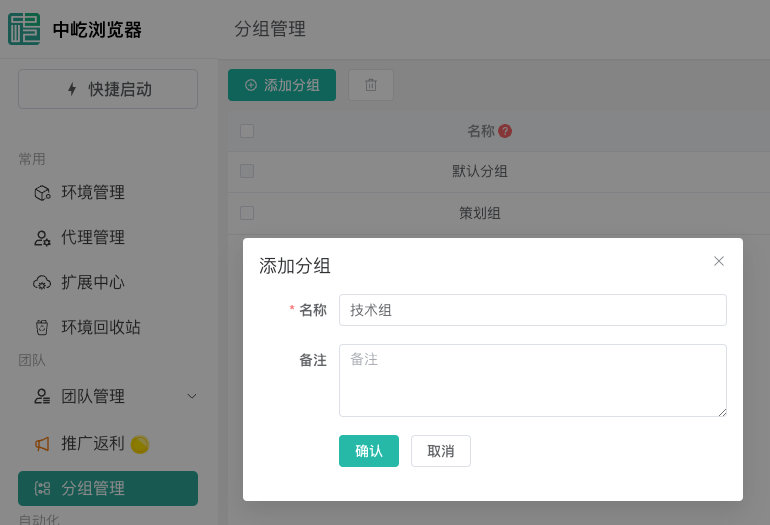
4. Group management involves creating groups and assigning members to different groups, such as the technical team, sales team, and customer service team
The above is an explanation of the team management module. If you have any further questions, please contact customer service for detailed consultation: 400-1080-106