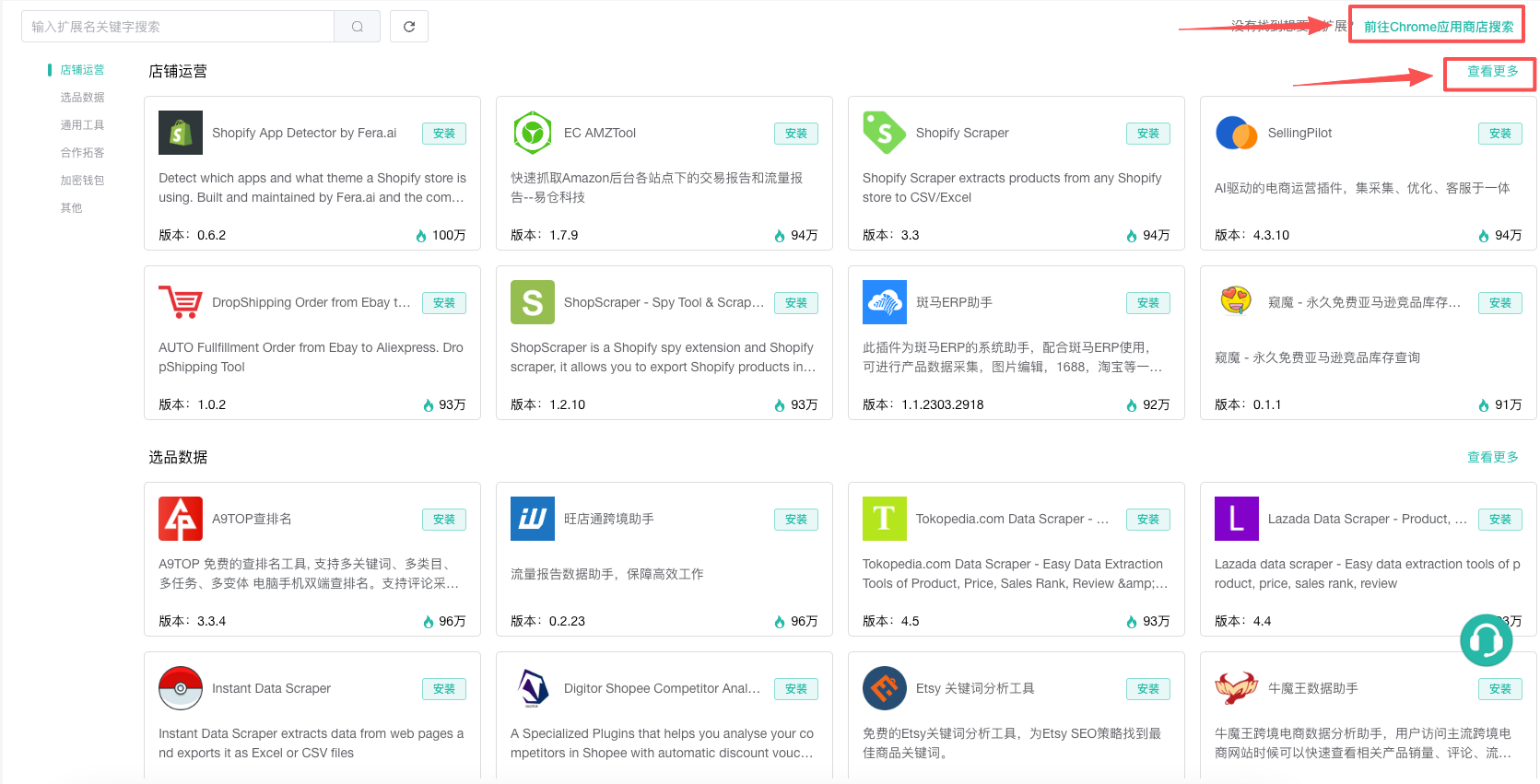
The Extension Center is divided into three sections: My Extensions, Team Extensions, and Extension Marketplace
1. My extension:
(1) If we have our own extensions, we can click "Add Extension" in "My Extensions" to add our own extensions. Meanwhile, we can view our existing extensions in "My Extensions"
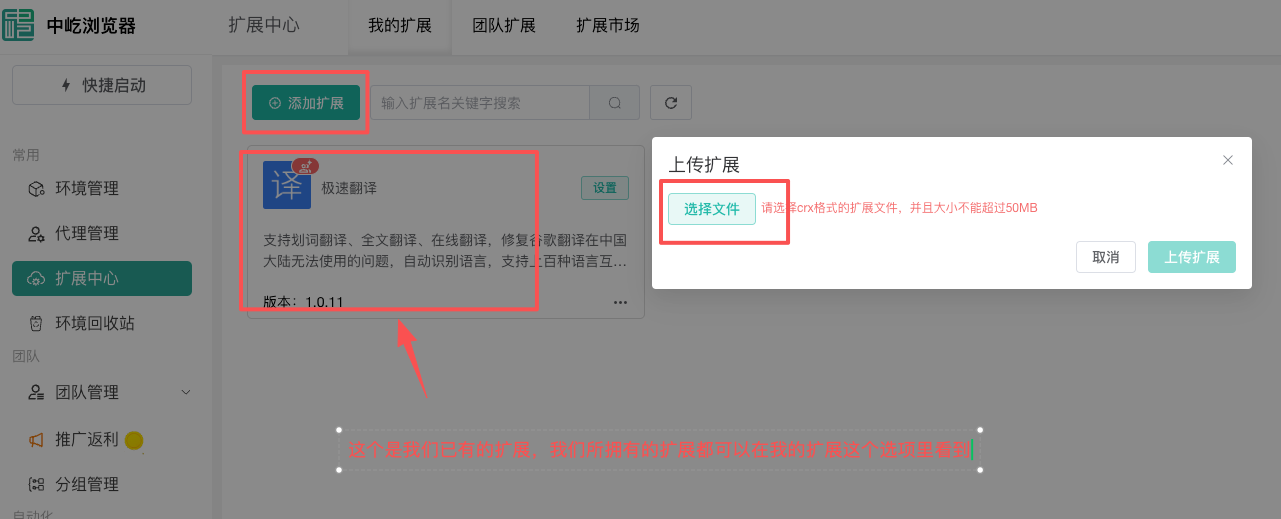
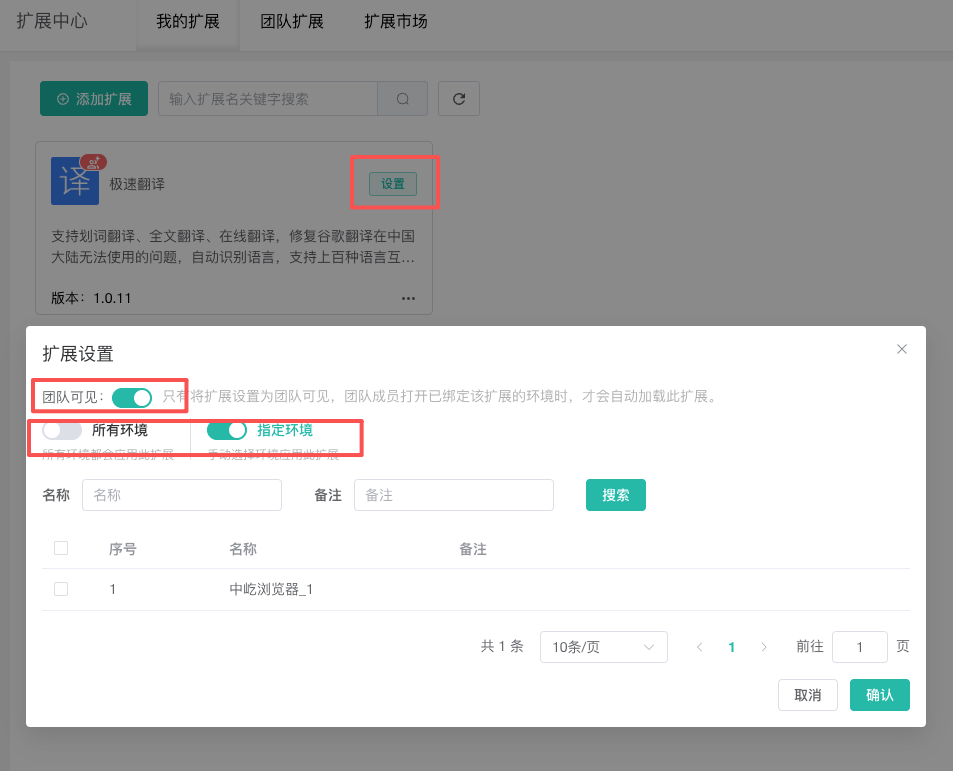
(2) We can set up the existing extensions. There are two aspects we can set. Firstly, we can turn on the team visibility button to allow our team to use this extension together. Secondly, we can specify the environment to bind our extension to, or bind it to all environments
For example, if my environment is an English website and I bind the plugin to the environment, then when I open the English website, it will automatically translate
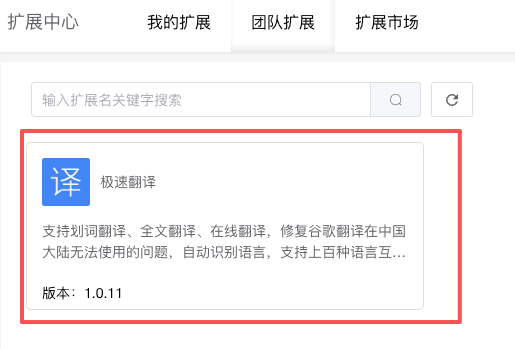
2. Team Extension: Here you can see the shared team extension plugins. If there are many shared plugins, we can also search for the corresponding plugins.
3. Plug-in Market:
(1) We have built-in many plugins. We can click "More" to view more plugins for a single category, or we can search for the extension name for quick search.
(2) If we fail to find the desired extension, we can proceed to the Chrome Web Store to download it.