
If you have previously managed your environment through other fingerprint browsers and now wish to import your fingerprint information and cookie data into the Zhongyi Browser, you can follow the steps below:
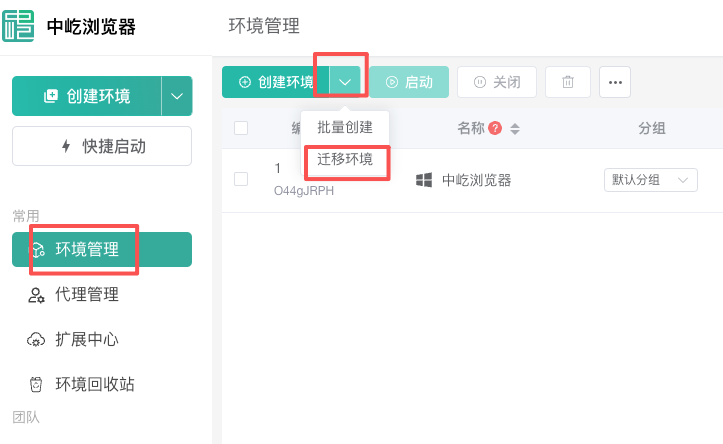
1. Open the migration environment.
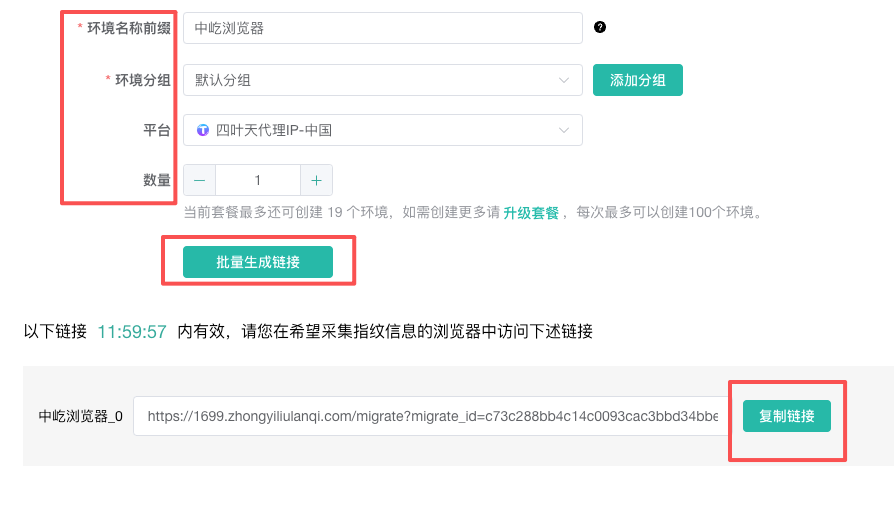
2. Generate an environment migration link, copy and open the link
(1) Basic environment parameters: The environment name prefix can be any name you like; there is no default for environment grouping; platform, set the platform to which the environment you want to migrate is bound (important); quantity, for example, if I want to migrate one Siyetian platform environment, then I set it to 1
(2) Set the parameters and click to generate the link. Note: The generated link has a time limit, and the environment migration must be completed within the specified time
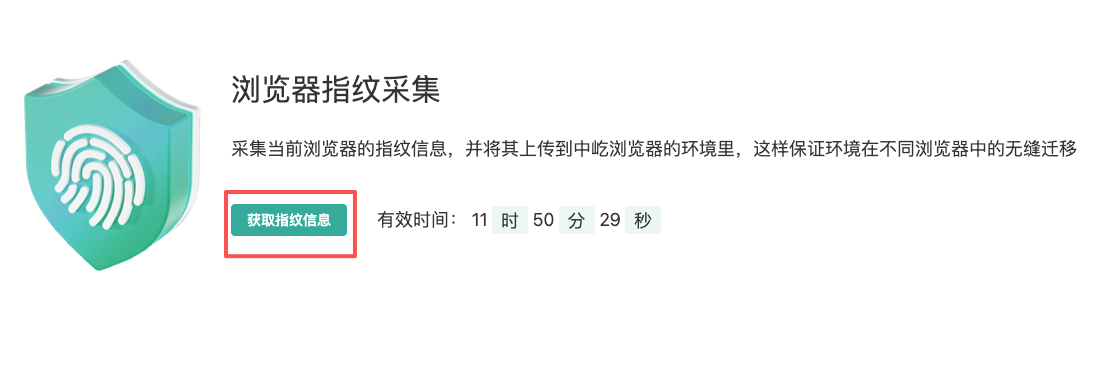
3. Fingerprint collection and uploading
(1) Obtain the fingerprint information of the current linking platform
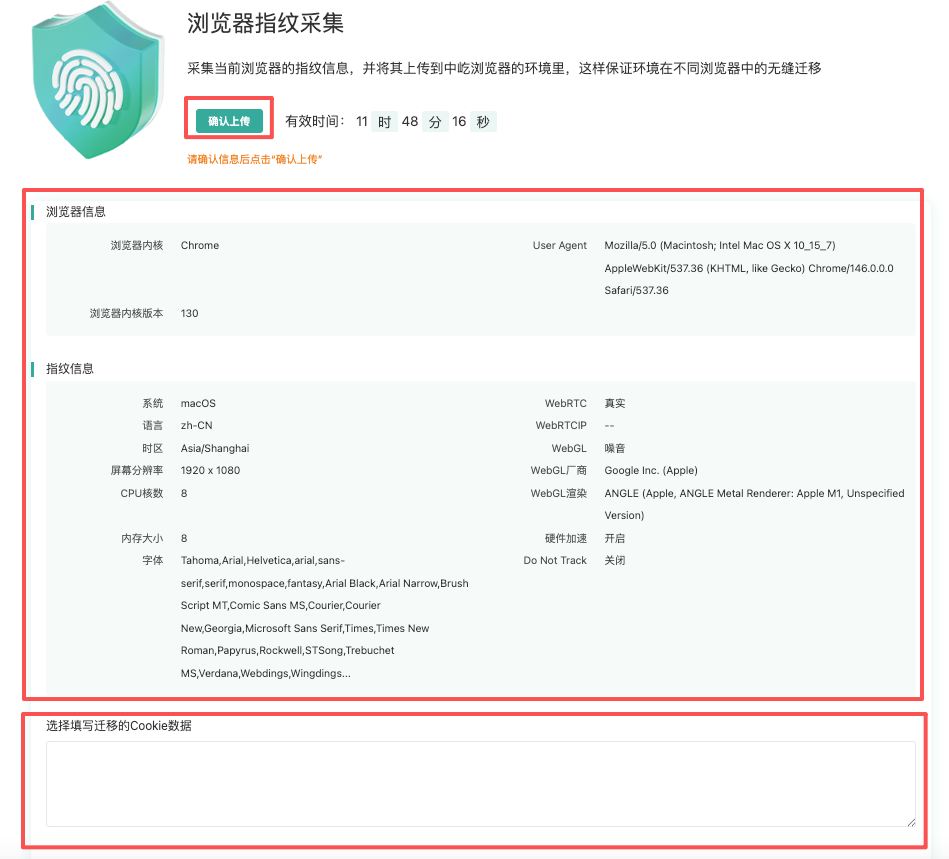
(2) Check the collected browser information and fingerprint data for any issues and confirm them. If necessary, you can set cookie information separately. If everything is fine, click "Confirm" to upload. At this point, the collected environment will be uploaded to the environment list.
4. Return to the environment list to check if there are any migrated environments. Click on "Start" to see if there are any issues with the migrated environments. If there are no issues, the environment migration is complete.
